
Whoa there!
Looks like you’re getting a lot out of our resources — awesome! Want to get even more tailored insights that fit your specific needs? Let’s book a discovery call so we can help you achieve your goals faster.
.svg)
Ask AI about your entire customer portfolio
Apptega MCP connects your Apptega data to the AI assistant your team already uses. Questions about customer risk, audit status, and open work get answered in seconds, instead of after an hour of clicking through accounts.





Stop jumping between customer environments
As your portfolio grows, answering a simple question gets harder. Preparing for a QBR, finding your highest risk customers, checking remediation progress, or pulling numbers for an executive usually means opening one account after another and reassembling the picture yourself.
Apptega MCP takes out that middle step. Ask the question once, and your assistant reads across every organization you manage to answer it. A review that took an afternoon becomes a single prompt.

Best fit: Apptega MCP is built for MSSPs, MSPs, and security providers managing multiple customer environments, along with direct customers running several tenants of their own.
A secure, read-only bridge between your portfolio and your assistant
Apptega MCP is a secure connection between your Apptega portfolio and AI assistants like ChatGPT and Claude. Once it's set up, you ask questions and get answers pulled live from your Apptega data, scoped to only the organizations your team manages.
MCP stands for Model Context Protocol, an open standard for connecting AI assistants to the data and tools they need. Apptega MCP uses it to give your assistant read-only access to the parts of your portfolio you'd normally check by hand: customer health, risk, audits, tasks, and program posture.
No exporting spreadsheets. No copy paste. You ask, and the answer comes back from real Apptega data.

Organizations in your visible portfolio

Executive-style customer health summaries

Risk overviews and drilldowns, including individual risk records

Open and overdue tasks

Audits and audit requests

Programs and related posture information
What you can do with Apptega MCP
Apptega MCP works with the assistant your team already uses. Here's the kind of work it handles.
Review your portfolio at a glance
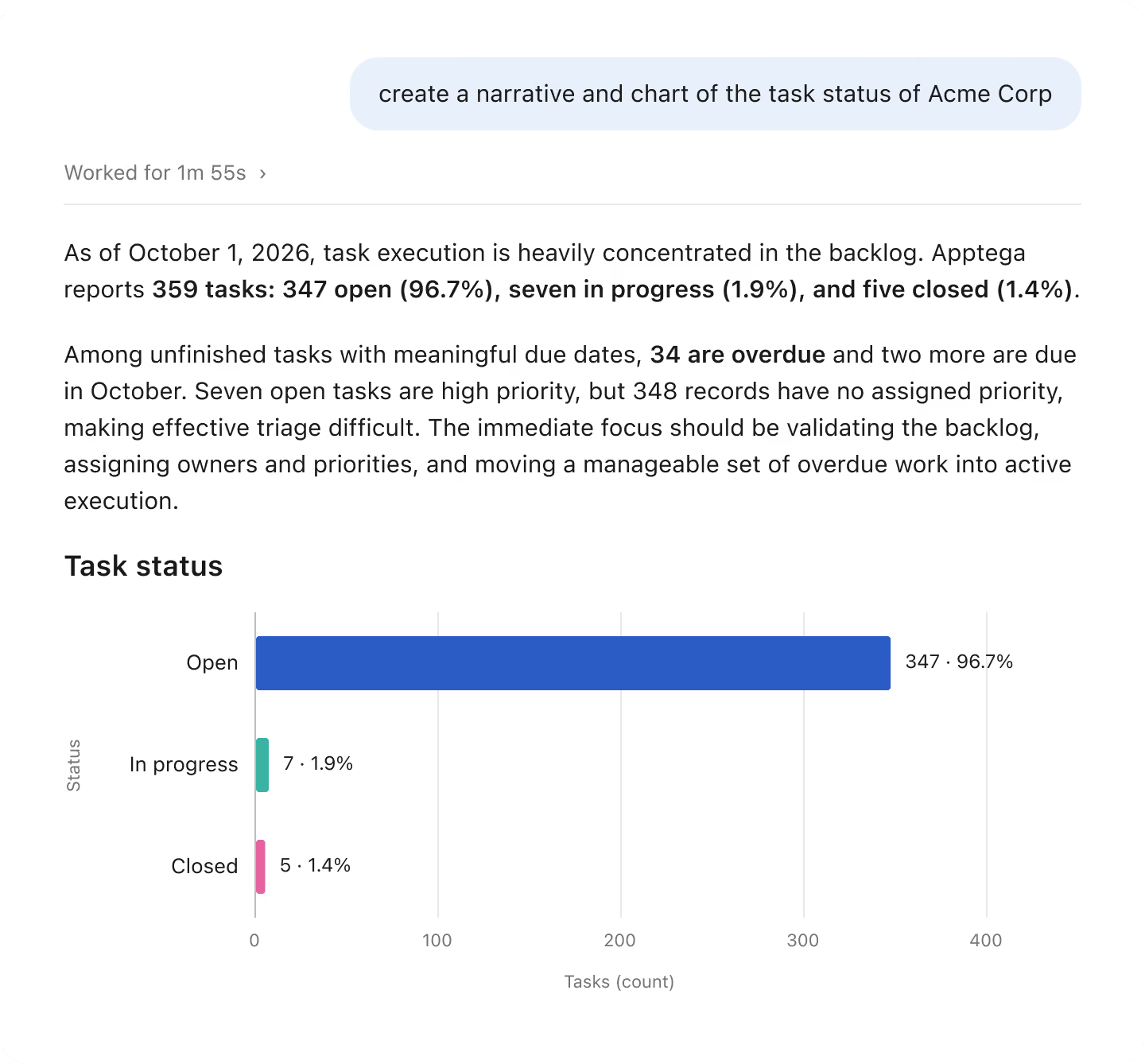
See health and compliance posture across every customer from a single prompt, and find out where to focus first.

%402x_Orange%20Box.png)
Find risk before it becomes a problem
Surface elevated risk across the portfolio and drill into what's driving it for any one customer.
Track audit activity
Check which customers have audits in flight and who's falling behind on evidence.

%402x_Teal%20Box.avif)
Prep for customer calls and QBRs
Get a customer summarized before a meeting, or build an executive report in minutes.
Stay ahead of open work
Pull overdue and high priority tasks so nothing slips between reviews.

Yes. Every response comes from live Apptega data, the connection is read only, and it's scoped to only the organizations your team manages. Your assistant can read portfolio information to answer your questions. It can't change, delete, or write anything in Apptega.
See Apptega MCP in action
Spend less time searching and more time acting on what your portfolio is telling you.
Apptega MCP FAQs

Apptega MCP is a secure, read only connection between your Apptega portfolio and AI assistants like ChatGPT and Claude. It lets you ask plain language questions about customer risk, audits, tasks, and compliance posture, and get live answers pulled from your Apptega data.
Any assistant that supports remote MCP servers, including ChatGPT and Claude. You keep using the assistant your team already works in.
Yes. Apptega MCP can read portfolio data to answer questions, but it can't change, delete, or create anything in your Apptega account.
Organizations in your visible portfolio, customer health summaries, risk overviews and drilldowns, open and overdue tasks, audits and audit requests, and program posture. Access is scoped to only the organizations your team manages.
MSSPs, MSPs, and security providers managing multiple customer environments, plus direct customers running several tenants of their own.
No engineering help required. Generate an API key in Apptega, add the MCP server in your AI client using the provided URL and key, and confirm the connection with a single prompt.
Ask your assistant to "List my Apptega organizations." If your portfolio comes back, you're connected.
No. The connection is read only and securely scoped to the customer organizations your team manages.
